Tools
Put practical AI tools to work.
Purpose-built tools that help you complete specific creative and professional tasks more clearly, consistently and effectively.
Explore the tools →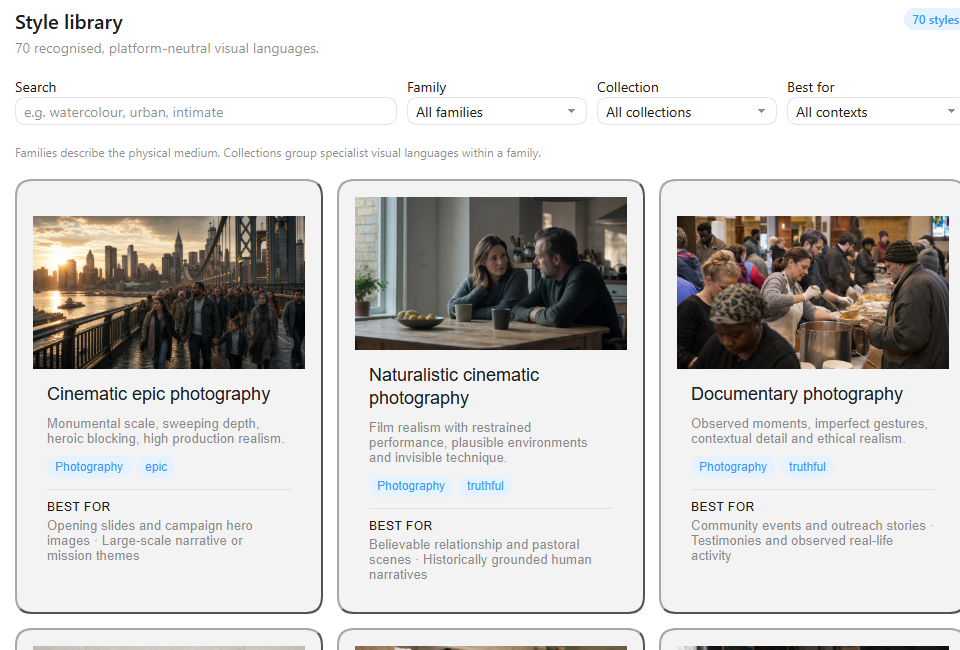
Designed around a real task.
Each tool turns a broad AI capability into a structured method you can use in your own context.
Visual Language Studio
Turn vague image ideas into clear, structured prompts. Explore 70 visual styles, choose a look that fits your message, and create more consistent results with the AI image tools you already use.
Explore Visual Language Studio →Visual Language Starter Guide
Learn the foundations of describing visual style, composition and creative intent before using the full Studio.
Get the free guide →From intention to useful output.
Practical tools provide structure where a blank chat box leaves too much to guesswork.
Clarify the taskStart with what the output needs to communicate or achieve.
Add relevant contextShape the result around your audience and intended use.
Use a repeatable methodApply structured choices instead of starting from scratch.
Improve consistencyKeep important creative and quality decisions visible.
Work across platformsUse the method with the AI services you already have.
Keep controlReview and refine the final output with human judgement.
Create clearer visual direction.
Visual Language Studio helps you describe the look you want before you generate the image.
Buy lifetime access →